

Late-Night Editing, Minus the Flashbang
Dark mode gives your photos the stage and gives your eyes a quieter place to finish the job.
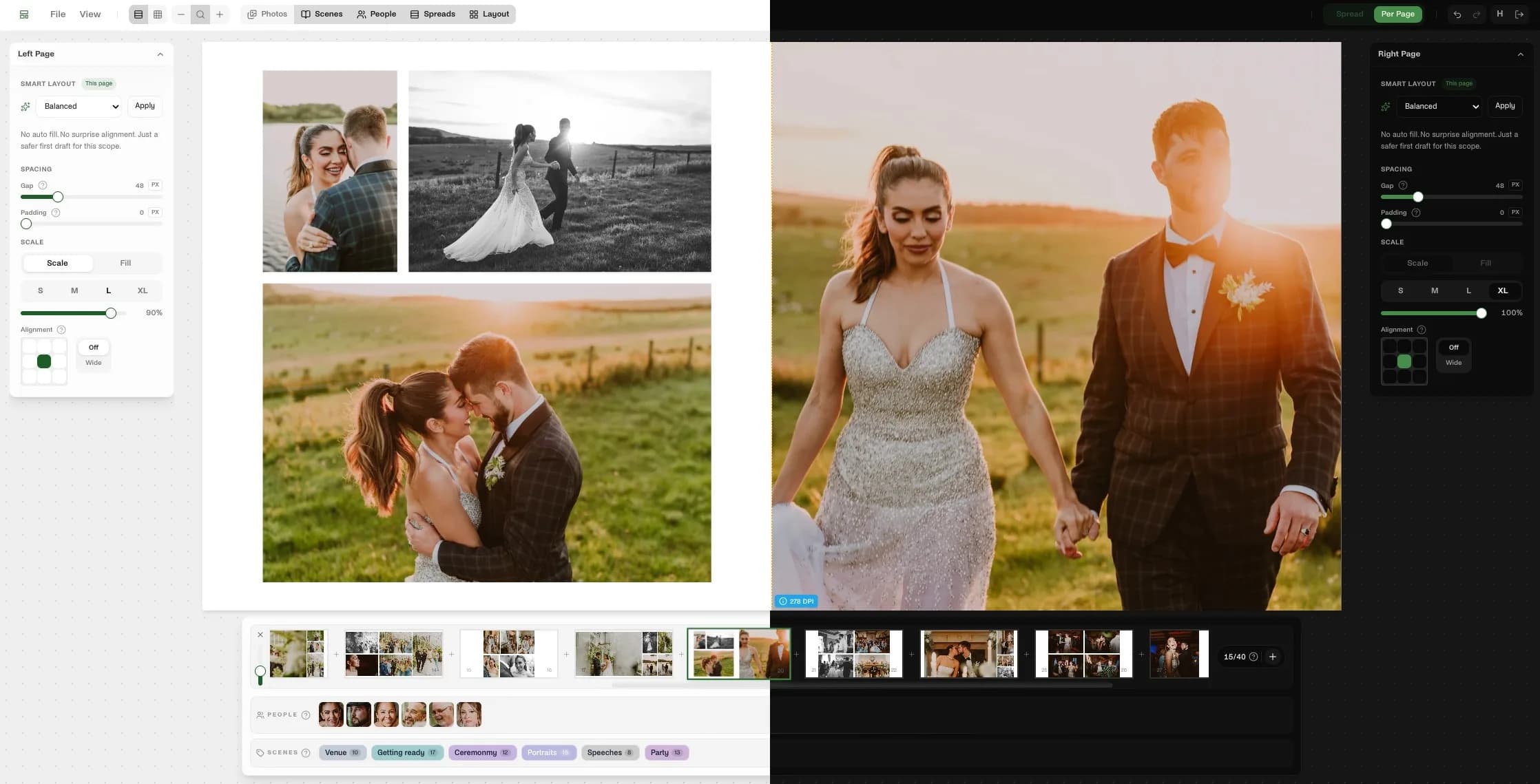
Your Photos Stay Loud. The Interface Does Not.
11 PM. You're three spreads deep into a wedding album. Your screen is a lighthouse. Your partner is asleep and you're basically a human desk lamp.
Dark mode fixes that.
Not with gimmicks. Not with some lazy color inversion. Just with a calmer workspace that lets the chrome fade back and the photos take over.
- One click to switch right from the editor
- Light, Dark, or System depending on how you like to work
- A quieter canvas so the album stays the brightest thing on screen
If bright interfaces wear you out at night, this one makes immediate sense. If you still prefer light mode during the day, keep it there. The point is control, not dogma.
Flip It When the Room Gets Quiet
The switch is exactly where it should be: easy to reach when you need it, easy to forget when you do not.
Small Feature. Big Midnight Upgrade.
Dark mode will not design the album for you. It will do something simpler and more useful: make the last hour of the job feel less punishing.
Less glare. Less visual noise. More room for the work.